Showing posts with label 3G. Show all posts

Wednesday, November 8, 2017

CyanogenMod 12.1 for Moto E 2015 3G|stock rom go to rompure.com

The most awaited CM12.1 has arrived for the Motorola Moto E 2015 3G. It is very smooth and stable ROM with many themes and new features.


It was launched with many bugs but now, it has no bugs. There is only some issues with YouTube videos as it crashes sometimes. And also some Indian users are having problem with the GApps. Other than this, everything is working fine.


CM12.1 is widely used, It is fast and have many features. It consumes less RAM than any other ROM. It has thousands of different themes.


Full Review and Installation Video :

How to Install :-


Step 1 : Download CM12.1 ROM and GApps form the link below and put them in your phone.

Step 2 : Go to recovery mode by pressing Volume Up + Volume Down + Power Button together or using Quick Boot App.

Step 3 : We recommend you to take backup of your data before flashing this ROM using recovery.

Step 4 : Wipe data, cache and dalvik cache by clicking Wipe button in the recovery.

Step 5 : Now click on Install button and select the ROM and GApps you downloaded before, and then slide to confirm flashing.

Step 6 : Wait for the process to finish and then click Reboot -> System.


Step 7 : You are done. You have successfully flashed the CyanogenMod 12.1 and GApps.

Downloads

CyanogenMod CM12.1 : Download Here.
GApps : Download Here.


PAC-Man ROM for Moto E 2015 3G|stock rom go to rompure.com

Moto E 2015 3G has got another ROM. PAC-Man ROM is very famous, fast and widely used ROMs. This ROM come to most of the smartphones nowadays.


Moto E 2015 3G has 1 GB of RAM which is now not considered great. Now, games are in bigger size, and also other apps requires more RAM. So the device hangs a little.
But this ROM is faster and in it, system consumes less RAM leading to more RAM for user apps. It is the unofficial build compiled on cm12.1 ROM.


Full Review and Installation Video :


Screenshots : 


How to Install :-


Step 1 : Download PAC-Man ROM and GApps form the link below and put them in your phone.

Step 2 : Go to recovery mode by pressing Volume Up + Volume Down + Power Button together or using QuickBoot App.

Step 3 : We recommend you to take backup of your data using recovery.

Step 4 : Wipe data, cache and dalvik cache by clicking Wipe button.

Step 5 : Now click on Install button and select the ROM and GApps you downloaded before, and then slide to confirm flashing.

Step 6 : Wait for the process to finish and then click Reboot -> System.

Step 7 : You are done. You have successfully flashed the PAC-Man ROM and GApps.

Downloads :-

PAC-Man ROM : Download Here.
GApps : Download Here.

Monday, November 6, 2017

Carripop ROM for Motorola Moto E 2015 3G|stock rom go to rompure.com

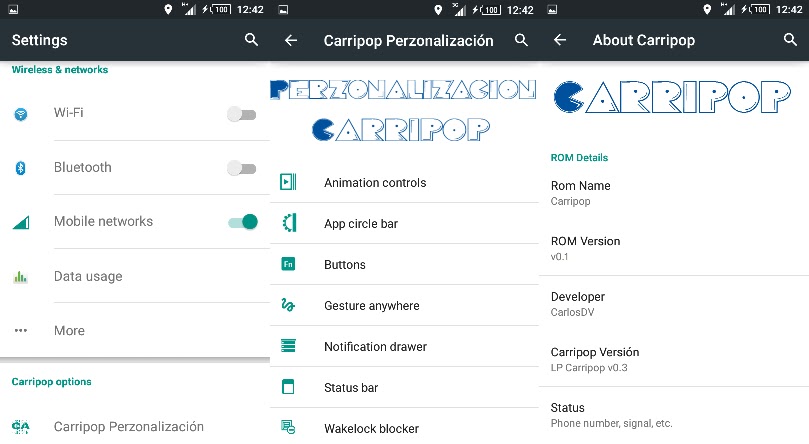
Carripop ROM. A developer must have heard about this ROM. It is very good ROM and now available for Motorola Moto E 2015 3G too.


This ROM is known for its battery capacity. It is said that this ROM saves so much battery. It's performance is very nice and have many new features like Carripop Personalization.


Installation and Review Video :


This ROM is based on CyanogenMod CM 12.1 and it is only for the 3G variant. It is Lollipop based ROM. 


Screenshots :


Installation Process :-

Step 1 - Download the ROM and GApps from the link below and put them in your phone or SD card.

Step 2 - Switch off your phone and press Power button + Volume Down  + Volume Up button together. Now Fastboot window will open.

Step 3 - Go to recovery using Volume Down button in fastboot mode and confirm by pressing Volume Up button.

Step 4 - Now take backup of your data by click on Backup button.

Step 5 - Now click on Wipe button and swipe to confirm wiping your data, cache and dalvik cache.

Step 6 - After wiping data, click on Install button, select the ROM and swipe to confirm flashing the ROM.

Step 7 - Now click on Reboot System to reboot your system in your new ROM.


Downloads :

Carripop ROM -- Download Here.
GApps -- Download Here.

Sunday, November 5, 2017

Resurrection Remix ROM for Motorola Moto E 2015 3G|stock rom go to rompure.com

Motorola Moto E 2015 3G is now getting many new ROMs every day. The development of this phone is increasing very fast. From many new ROMs daily launched, one is Resurrection Remix ROM.


Resurrection Remix ROM


Resurrection Remix ROM is a ROM based on CM, slim.omni and original remix ROM. It has awesome performance, customization, power and new features.


It is only for 3G model. So don't download it for 4G/LTE devices. Download link at the end of the post.


Screenshots :


Installation Process :- 

Step 1 - Download the ROM and GApps from the link below and put them in your phone or SD card.

Step 2 - Switch off your phone and press Power button + Volume Down  + Volume Up button together. Now Fastboot window will open.

Step 3 - Go to recovery using Volume Down button in fastboot mode and confirm by pressing Volume Up button.

Step 4 - Now take backup of your data by click on Backup button.

Step 5 - Now click on Wipe button and swipe to confirm wiping your data, cache and dalvik cache.

Step 6 - After wiping data, click on Install button, select the ROM and swipe to confirm flashing the ROM.

Step 7 - Now click on Reboot System to reboot your system in your new ROM.


Downloads :

Resurrection Remix ROM -- Download Here.
GApps -- Download Here.

Oct-L ROM for Moto E 2015 3G | Android Lollipop 5.1.1|stock rom go to rompure.com

Moto E 2015 3G (2nd Gen) was launched in February 2015. But still it has not got so many ROMs. Development is very slow because of less devs. 


This device has recently got another ROM. Oct-L ROM by Team OctOs including Krizthian  and Squid2. This ROM has got Android Lollipop 5.1.1 and has different icons. Though it has some bugs with Youtube, ADSP crashing and Gapps issues to some Indian users.

Full Review And Installation Video : 


Screenshots :


How to Install :-

Step 1 : Your phone must be rooted and twrp recovery must be flashed before installing this ROM.

Step 2 : Download ROM and Gapps from the link below and put them in the internal or SD card of your phone. 

Step 3 : Go into twrp recovery by pressing Volume Up + Volume Down + Power Button for 5 seconds and then press Volume Up button. You can also install Quick Boot app to go to recovery.

Step 4 : It is recommended to take backup of your phone so no data is lost.

Step 5 : Click on Install button and Select ROM from SD Card. 

Step 6 : Reboot your device by clicking Reboot -> System.

Step 7 : Now again go back to recovery and Click Install and Select Gapps from the SD Card.

Step 8 : Again Reboot Your System. You are done. 

Download  :-
Oct-L ROM : Download Here.
GApps : Download Here.

Monday, February 23, 2015

Spotted: Acer Iconia Talk S Work, Play and Communicate

Acer new Iconia Talk S shows up online!

Upfront it looks like Asus Fonepad 6 while the back takes inspiration from the iPad Mini.

The Iconia Talk S runs on Android 4.4 KitKat through 7 inch 720p HD IPS Display that should provide a pleasant viewing experience enhanced by zero air gap technology. An Anti-Fingerprint coating is applied to keep it clean and presentable.

Under the hood. a 1.2GHz Snapdragon 410 64Bit MSM8916 Quad-Core Processor powers the unit with graphics handled by Adreno 306 GPU. For memory and storage, 1GB RAM and 16GB internal storage that can be expanded via MicroSD up to 128GB.

The Iconia Talk S has phone and messaging capabilities that sets it apart from other tablets. Supports two sim cards so it could take on two networks or providers. In its announcements, it is said to have LTE but it seems that the Philippine will have HSPA+ and 3G variant.

Other features include 5MP rear and 2MP front cameras. WiFi b/g/n, Bluetooth 4.0, GPS for connectivity. Comes with 3780 mAh battery.


To wrap up, Acer Iconia Talk S is perfect for people on the go for fun or play. Visuals look good on HD Display which is great for playing games or viewing work presentations. Don't miss out on your important work emails or Play your favorite online games even outside your wifi zone for having 3G or HSPA internet connection. All brought to you by Acer, trusted and leading brand in the tech industry.

Spotted via CMKCellphones.com

or you could order with Lazada Philippines with Nationwide Delivery. Look Here:
Acer Iconia Talk S


Acer Iconia Talk S Specs
Android 4.4 KitKat
7 inch HD IPS Display
1.2GHz Quad-Core Processor
Snapdragon 410 MSM8916
Adreno 306 GPU
1GB RAM
16GB Internal Storage
Expandable via MicroSD up to 128GB
5MP Rear Camera
2MP Front Camera
Dual Sim/ Dual Standby
Regular SIM
3G / HSPA+
WiFi b/g/n
Bluetooth 4.0
GPS
3780mAh Battery