Showing posts with label Tablet. Show all posts

Thursday, November 30, 2017

How to Upgrade your PC and Tablet to Windows 10|stock rom go to rompure.com

Microsoft launched its latest Windows 10 on Wednesday. People can upgrade their PCs and Tablet to latest Windows 10 for free. But the upgrade is only available to Windows 7 and 8 users for free. Other users would have to buy it for $119 (around Rs. 7600). It is a great option for those who are frustrated by Windows 8. 


Before upgrading your Windows, you should know that whether your PC has required specifications that are needed for Windows 10. Technical specification Required are :-
Processor - 1GHz or faster or SoC
RAM - 1 GB for 32-bit and 2 GB for 64-bit
Hard Disk Space - 16 GB for 32-bit OS and 20 GB for 64-bit OS
Graphics Card - Directx 9.0 or later with WDDM 1.0 driver
Display - 800x600
You can check out full specification on Microsoft Website.


You can get it through two ways - by downloading it from the Windows 10 Download Page or by registering on the official Windows 10 App. Windows 10 is not available on mobile phones. It is only available at Tablets and PCs. 


Registration on Windows 10 App

You can register on Windows 10 App to get the Windows 10. It is the preferred way as the company will ensure hardware compatibility on your System. To de this, follow the steps : 
  • First of all, Download Windows 10 App.
  • Register for free Upgrade by filling all the details.
  • Wait for the Upgrade. You may have to wait for longer. It is first come first serve basis. It could take hours to weeks. Is is because Microsoft trying to prevent its servers from the pressure of millions of upgrades simultaneously, and also it will consider hardware compatibility.
  • Once the Upgrade is ready, you will receive a notification for it. 
  • Now, you can download it any time according to your convenience.

Direct download from Download Page

If you don't want to wait for the Update then you should opt for this option. to do this : 
  • Firstly, download it directly from the Download Page. Choose between 32-bit and 64-bit operating system type and download accordingly.
  • After download completes, Burn it to a CD, DVD or copy it to a USB Flash Drive/Pen Drive.
  • Get the backup of your data before Upgrading to Windows 10.
  • Now boot from your Pen Drive/CD/DVD and then choose whether your PC has 32-bit or 64-bit processor.
  • Click on Upgrade this PC and when asked for a Product key, click 'Skip' button.
Note : If you have any problem in your latest update, then  don't worry. Windows 10 has roll-back feature using which you can go back to your old Windows 7 or 8. But it will only work for 1 month from installing.

There is no guarantee that your hardware will fully support Windows 10 upgrade. Thus it is recommended that you go through the normal route of Windows 10 App.

Thursday, April 28, 2016

Samsung Galaxy Tab A 2016 7 inch Spotted Price Specs Philippines

Samsung Galaxy Tab A 2016 gets spotted! but something is missing.


Samsung Galaxy Tab A 2016 comes in similar design but now it features a 7 inch display so making it more rectangular shape than of the old 8 inch model. A reduce in display size is compensated with a increase in resolution at 800 x 1280 making it 16:9 aspect ratio with 216ppi much better than before. This bodes well for 0000 pdfs but still works for movies but preferably on landscape. It is slim at 8.7mm and light at 283g which makes it great for carrying around your bag.

Samsung Galaxy Tab A 7 inch 2016 Front and Back
We got to look closer, display is bright and clear and it has a dotted patterned back. Sim slot and microSD Card slot is located left side while on the right is the power lock button and volume rocker. On Top is the 3.5mm jack and MicroUSB port. At the back is the primary camera and speaker.

Samsung Galaxy Tab A 7 inch 2016 Sides

Samsung Galaxy Tab A 7 inch 2016 Camera, Buttons, Ports


Under the hood, the new Galaxy Tab A 2016 edition packs 1.5GHz Quad-Core Processor coupled with 1.5GB RAM and 8GB Internal Storage. A MicroSD slot is available and supports up to 200GB if you need more storage.


As for optics, just the same setup of 5MP Rear and 2MP Front camera combo which should be enough for your social media captures and sharing. Speaking of sharing, the Galaxy Tab here A 2016 carries the regular set of connectivity - WiFi, Bluetooth, GPS. There is a sim card tray available so you have phone and messaging features as well as data connectivity on the Go handled by LTE / 3G.

Camera samples look here:


Just basics here as they only carry basics with aperture size of f/2.2. Yet i was surprise with the Selfie as it was decent still compared to local brands with 2MP front cameras.

Runs on Android 5.1 but less of bloats. Oddly enough it lacks Microsoft suites which we can find via other Samsung models. Does have visual controls like control font and also features gestures and motion control. We have not encountered lags while navigating through the device.


Battery is reduced at 4000mAh but with more updated chipset and redduce screen size it should do better job staying alive or always on.


The major drawback however is that it looks like for Galaxy Tab A 2016, Samsung has do away the SPen. I am sure artist, writers, creatives and scribblers would miss this feature.

To conclude, Samsung Galaxy Tab A 2016 is a reliable tablet with decent performance with Phone capabilities and LTE. Although we miss the SPen as it was the signature of the A series.

Spotted via Abenson website for 9,990 Pesos! Guess with trimmings of some features it cost less.

It is also now available with selected Samsung Concept stores. No demo unit yet but they have it.

Abenson - Samsung Galaxy A 2016


Samsung Galaxy Tab A 2016 7 inch Specs
Android 5.1 Lollipop
Samsung TouchWiz UI
7 inch WXGA HD LCD Display
1.5GHz Quad-Core Processor
1.5GB RAM
8GB Internal Storage
Expandable via MicroSD up to 200GB
LTE / HSPA+ /3G
Phone and Messaging Functions
5MP Rear Camera
2MP Front Camera
WiFi
Bluetooth
GPS
4000mAh Battery

Tuesday, April 19, 2016

Huawei T1 7.0 Plus 3G Quick Impression and Review Price Specs Philippines

Huawei just revealed today their new budget tablet - Huawei T1 7.0 Plus.


Huawei T1 7.0 Plus comes in polycarbonate patterned frame complimented with gold aluminum back plate. Hardware keys are located at the right side with power  lock and volume locker as well as compartment for MicroSIM and MicroSD slot. It is relatively thin and light which is great for easy storage and portability.

It sports a 7 inch WSVGA IPS Display powered by Spreadtrum SC7731G Quad-Core Processor coupled with 2GB RAM with 16GB of internal storage. You can expand via MicroSD for up to 64GB. Performance wise it does run fine but with some hicups here and there but ample RAM really helps in managing multiple apps running on the background. We ran Antutu and it did score a decent 18K. It should do be enough to run your social media games.

Huawei T1 7.0 Plus Antutu

Basic connectivity is present with WiFi, Bluetooth, and GPS. 3G cellular data as well as Phone and Messaging Functions is supported as it carries a Sim card slot. You can lock your signal to 3G so your data is fixed  USB-OTG is supported so you could still plug in your USB to view your files or your favorite movie.

As for optics, a 5MP AF Primary rear camera with 2MP FF Front camera, just for basic social media captures and videos. Both cameras has f/2.8 aperture so you need to have at least decent amount of light but not recommended for low light environment. See Samples Here:

It Focuses well as you can see at the left side, Foreground is focused while on the right the Background is in focus.

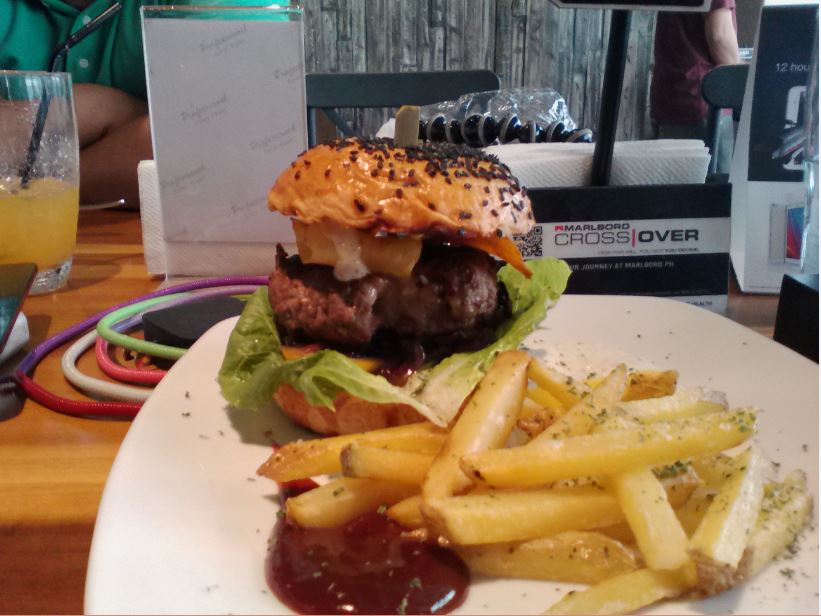
Color was on point for the rear camera, as you can see the delicious burger I had earlier.

Quite a surprise though, my selfie turn out good not bad as I expected. Even at ISO 600, its less grainy but still make sure you do have light source when taking a picture.

Runs on Android 4.4 KitKat with Huawei EMUI 3.0 on top. Huawei opted for a simple yet youthful look and manageably less bloatwares and added useful features such as Power and Network Management as well as some customization options.

Huawei T1 7.0 Plus EMUI 3.0


Carries a big 4100mAh battery is quoted to last 12 hours of non-stop entertainment Video Playback, 8 Hours Web Browsing. and 20 hours of Voice Calls.


Priced for 6,490, you get a 7 inch tablet with 2GB RAM and 3G, which gives its edge as there are just limited number of tablets with ample memory and internet connection on the go with Phone Features. This is great for consumers, young or old and even businesses.

When you Pre-Order with Lazada, you get Free Leather Case, Earphones, and a Limited Edition handcrafted canvas bag by Gouache. Look Here:

Huawei T1 7.0 Plus Pre-Order Lazada Package
Huawei x Lazada Pre-Order Package
Huawei Mediapad T1 7 Plus 3G Specs
Android 4.4 KitKat EMUI 3.0
7 inch WSVGA IPS Display
1.2GHz Spreadtrum SC7731G Quad-Core Processor
2GB RAM
16GB Internal Storage
Expandable via MicroSD up to 64GB.
5MP AF Rear Camera
2MP FF Front Camera
3G
WiFi b/g/n
Bluetooth
GPS
USB-OTG
4100mAh Battery
191.8mm x 107mm x 8.5mm
278g
Gold

Monday, March 21, 2016

Apple introduces a 9.7 inch iPad Pro Specs Price


Apple introduces a smaller iPad Pro, sporting a smaller 9.7 inch at 2048 x 1536 resolution with Wide color and True Tone display, True Tone Display uses ambient light sensors to adapt the color and intensity of the display to match the light in your environment. Night Shift feature is also new feature that puts a blue filter on the screen so as your eyes won't be strained when using in Low Light condition and helps you sleep. Same design aesthetics as of its bigger sibling but 9.7 inch will come in Rose Gold color other than Silver, Gold and Space Gray.


Internally, it packs the same A9x chipset with M9 coprocessor with 2GB RAM. Storage options comes in 32GB, 128GB and now 256GB. Not much of a difference there but with smaller display size, 9.7-inch iPad Pro should be more efficient.


9.7-inch iPad Pro comes with better iSight camera at 12MP BSI with f/2.2 aperture, 5-element lens, and Hybrid IR Filter proted by Sapphire Crystal Lens Cover supported by True Tone Flash. Front Facetime camera is at 5MP with f/2.2. Huge difference compared to 8MP rear / 1.2MP front of 12.9 inch iPad Pro.


Apple Pencil is supported by the 9.7 inch model and also will have a keyboard case accessory for working with documents. Newer accessories were also revealed such as USB camera adpater and SD Card Reader which let you connect and host USB devices and storage (Finally). Fingerprint Sensor integrated with Home Button for Touch ID.


Complete set of connectivity with WiFi ac MIMO and Bluetooth 4.2. For Cellular models, LTE data connection and GPS.

Built inside is a 27.5‐watt‐hour rechargeable lithium‐polymer battery quoted up to 10 hours of surfing the web on Wi‐Fi, watching video, or listening to music. For Cellular models, up to 9 hours of surfing the web using cellular data network.

Well I was not surprised that they release a smaller iPad Pro such that 12.9 inch was so big for a tablet to carry around. 9.7 inch is just right and with its size and keeping internal hardware the same, tablet should out perform its big brother. Not only efficient but also takes better pictures and videos. For sure, this iPad Pro will sell more.

Apple Buy 9.7 inch iPad Pro
Prices starts at $599 for 32GB, $749 for 128GB and $899 256GB for WiFi-Only Models. For Cellular, $729 for 32GB, $879 for 128GB and $1029 256GB.

Apple 9.7 inch iPad Pro Specs:
9.7-inch (diagonal) LED-backlit Multi-Touch Retina display
2048-by-1536 resolution at 264 pixels per inch (ppi)
Wide color display
True Tone display
Fingerprint-resistant oleophobic coating
Fully laminated display
Antireflective coating
A9X chip with 64‑bit architecture
M9 motion coprocessor
12MP iSight camera
Autofocus with Focus Pixels
Æ’/2.2 aperture
Five-element lens
Hybrid IR filter
Backside illumination
Sapphire crystal lens cover
with True Tone Flash
4K video recording (3840 by 2160) at 30 fps
Slo-mo video support for 1080p at 120 fps and 720p at 240 fps
Time-lapse video with stabilization
5MP Facetime Camera
720p HD video recording
Æ’/2.2 aperture
Backside illumination
Retina Flash
Nano‑SIM
LTE/HSPA+/3G (Cellular Models)
Wi-Fi a/b/g/n/ac Dual Channel (2.4GHz and 5GHz), HT80 with MIMO
Bluetooth 4.2
Digital compass
iBeacon microlocation
Wi-Fi + Cellular models
Assisted GPS and GLONASS (Cellular Models)
Touch ID
Built‐in 27.5‐watt‐hour rechargeable lithium‐polymer battery

Sunday, February 21, 2016

MWC 2016 HP Elite X3 Windows Smartphone Turned Desktop and Laptop.

MWC 2016 - HP surprises us with its new Elite X3 Windows Smartphone! That really takes Windows Continuum to new heights.


The HP Elite X3 comes in simplistic no frills design that carries a 5.96" QHD AMOLED Display protected by Gorilla Glass 4. It has up-to-dates internal hardware with Qualcomm Snapdragon 820 coupled by 4GB LPDDR4 RAM and 64GB Internal Storage! Talk about huge storage space if thats not enough it also supports MicroSD card slot. Talk about power house innards in ther realm of Windows Mobile that is.


HP did really focus on Continuum that enables the Elite X3 to be turned into desktop via HP Desk Dock so you could plug it into external display as well as has an Ethernet port, two USB A sockets and one USB Type-C connector as well as lets you to charge the device. There is also HP Mobile Extender turning your Elite X3 into a 12.5-inch HD Laptop that weighs under 2.2lbs (1kg).


Optical features include 16MP Rear Camera with LED Flash and 8MP Front Camera. It has an Iris scanner so I believe it will support Windows Hello.

It uses USB Type-C which is the hardware requirement for Windows Continuum. No mention of other but I am pretty sure it has the regular set as WiFi, Bluetooth and GPS. Since its Snapdragon 820 I assume it supports LTE connectivity as well as Quick Charge 3.0.

It is said that it has IP67 rating for dust and water resistance and Military Standard 810 rating, assuring device protection for drops from up to 1 meter.

HP Elite X3 Specs
Windows 10 Mobile
5.96" QHD AMOLED
Snapdragon 820
4GB LPDDR4
64GB Internal Storage
Expandable via MicroSD Slot
16MP Rear Camera
LED FLash
8MP Front Camera
2 Stereo Speakers
Iris Scanner
Fingerprint Scanner
USB Type-C
Wireless Charging
4150 mAh non-removable battery
161.8 x 83.5 x 7.8mm
195g weight

Sources:
Phonearena
Engadget

Tuesday, January 19, 2016

Microsoft Surface Book Appears! Specs Price Philippines

Announced last October 2015, Microsoft Surface Book appears!


The new Microsoft Surface Book is a versatile new hybrid that can function as a tablet for handheld use or snap on to its keyboard dock turning it full pledge laptop for productivity functions. With Surface Pen, it lets you have a smooth and precise touch input so you can doodle, write and take notes with ease and accuracy.

Surface book sports a 13.5 Pixel Sense Display at  3000 x 2000 resolution at 267 PPI. Inside, it carries the latest 6th generation of Intel Core processors complimented with abundant 16GB RAM and 512GB SSD. NVIDIA GeForce Graphics serves its graphic card but Surface Book must be in laptop mode to utilize it.


We got to hold the new Surface Book and it is very solid and has great built with magnesium alloy. You can easily attached the Surface Pen on the side. Hinge is sturdy and tablet clings on to the base tight. There a release button if you need to detach it as a tablet or as Microsoft put it clipboard. The laptop cannot be fully closed as to prevent keyboard touching the screen though it leaves a gap that other things might enter. You may have notice holes around the tablet which serves as exhaust to control heat.

It performs well, smooth and quick launching apps with no hiccups. Oh this is i7 model so its a power house that's why. Windows Hello is operational and with its front camera it detects your eye so as you can securely unlock the Surface Book.


There is only the SurfaceConnectTM port and Headset Jack on the Tablet or to say clipboard. You can used this SurfaceConnect port by clipping on accessories to charge it or connect it to Surface dock. Major ports are located on keyboard dock such as Two (2) USB 3.0, Full-size SD™ card reader, and Mini DisplayPort. For Wireleess connectivity, WiFi and Bluetooth is available.

Microsoft quuotes the Surrface Book to run 12 Hours of Video Playback. This is great considering its size and powerful internals.

Comes with Windows 10 PRO and 30 Day Trial for Office.

Anyways spotted via Villman for 169,999! Yikes, higher than quoted price $1499 and $2099.
This is an unofficial release.

Villman


Microsoft Surface Book

Display
Screen: 13.5” PixelSense™ display
Resolution: 3000 x 2000 (267 PPI)
Aspect ratio: 3:2
Touch: 10 point multi-touch

Processor
6th Gen Intel® Core™ i5 or i7
Memory
8GB or 16GB RAM
Storage1
Solid state drive (SSD) options:
128GB, 256GB, 512GB, or 1TB.
Graphics
i5: Intel® HD graphics 520
i5/i7: NVIDIA GeForce GPU with 1GB GDDR5 memory
Security
TPM chip for enterprise security

Camera, Video and Audio
Windows Hello5 face-authentication camera (front-facing)
5.0MP front-facing camera with 1080p HD video
8.0MP rear-facing autofocus camera with 1080p HD video
Stereo microphones
Stereo speakers with Dolby® audio

Wireless
802.11ac Wi-Fi wireless networking; IEEE
802.11a/b/g/n compatible
Bluetooth 4.0 wireless technology

Ports
Two full-size USB 3.0
Full-size SD™ card reader
SurfaceConnectTM
Headset jack
Mini DisplayPort

Sensors
Ambient light sensor
Accelerometer
Gyroscope
Magnetometer

Battery life
Up to 12 hours of video playback4

Dimensions
12.30” x 9.14” x 0.51 - 0.90” (312.3mm x 232.1mm x 13.0 - 22.8mm)

Weight
Starting at 3.34 pounds (1,516 grams) including keyboard

Thursday, January 7, 2016

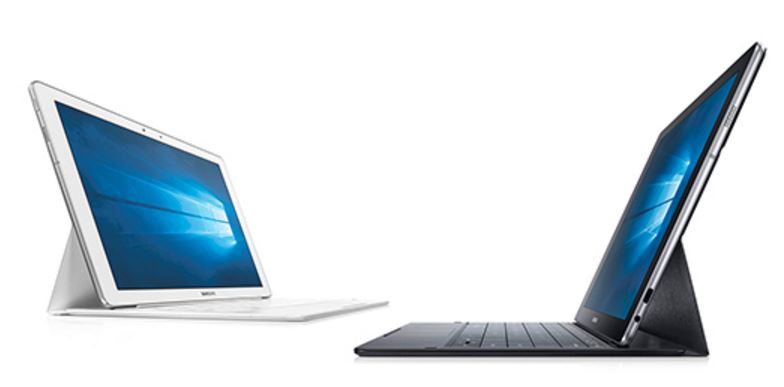
Samsung unveils Galaxy TabPro S its 2 in 1 Tablet Laptop Windows 10 CES 2016

Well its seems Samsung and Microsoft good partnership is taking fruit and so produce Samsung Windows 10 2 in 1 Galaxy TabPro S.


“Galaxy TabPro S balances the best of Samsung’s Galaxy Tab with the wealth of features on the Windows 10 operating system for the most advanced tablet experience on the market,” said Dongjin Ko, President and Head of Mobile Communications Business at Samsung Electronics. “We’re thrilled to be working with Microsoft Corp. to deliver a 2-in-1 tablet that truly allows people to enjoy productivity and connections that matter most, through a seamless mobile station designed for all purposes.”


The Tablet is 198.8mm in height, 290mm in width,  6.3mm thin and weighs only 693 grams (WiFi) 696 (LTE) for light, handy portable full Windows PC alternative. Comes with a full sized keyboard with track pad that is great for typing jobs or to say using the tablet as a laptop. Pogo pin on the Galaxy TabPro S keyboard eliminates the need for pairing or charging separately.


The Galaxy TabPro S is first Windows to have Super AMOLED display at 12 inch WQHD 2160 x 1440. Powering the device is latest generation 6th generation Intel Core M dual-core processor clocked at 2.2GHz complimented with 4GB RAM and with storage options of 128GB or 256GB SDD.

Optical features a 5MP for both front and back camera


As for connectivity it packs the regular WiFi, Bluetooth and GPS. There is a LTE model with LTE Cat6 available for on the go data connection. To enhance productivity, a multi-port adapter (HDMI, USB Type A & C) and Bluetooth Pen are available for purchase separately.

Battery stands at 5200mAh battery quoted to last up to 10.5 hours, and can be charged in 2.5 hours.

Powered by Microsoft Windows 10 Home / Pro which you have access to Store Apps if not tehn mainstream desktop app is available which includes Microsoft Office, Edge and even Adobe Photoshop and among others.

Its about time for a Galaxy running Windows 10. Finally. No word on costing and release though and so tune in for updates.

Samsung Galaxy TabPro S
Windows 10 Home, Windows 10 Pro
12 inch WQHD 2160x1440 Super AMOLED Display
Dual Core 2.2GHz 6th Gen. Intel Core M processor
4GB RAM
128GB / 256GB SSD
5MP AF Rear Camera
5MP Front Camera
Video: MP4,3GP,WMV,ASF,AVI,MKV
Audio: MP3,AAC,WAV,WMA,AMR,FLAC
Connectivity:
Wi-Fi 802.11 a/b/g/n/ac MIMO, Wi-Fi Direct, NFC, Bluetooth 4.1
GPS :GPS, GLONASS
Sensor: Accelerometer, Hall, Light
Dimension / Weight: 290.3x198.8x6.3mm / 693g(Wi-Fi), 696g(LTE)
5200mAh (39.5W, 7.6V) Battery

Tuesday, January 5, 2016

CES 2016 Huawei Announces Mate 8 Smartphone and MediaPad M2 Tablet

Huawei officially announces Mate 8 and Mediapad M2 Tablet!


Starting of with their newest Mate 8 beautifully crafted metal body with 6 inch Full HD 1080p Display with heightened contrast and saturation. Under the hood, it is powered by Octa-Core Kirin 950 Processor with Mali-T880 GPU plus IntelliSense I5 co-processor for sensors. Has Thermal controls with 6 thermal mechanics and with DX19 highly conductive material. There are two variants the 3GB RAM 32GB Internal and 4GB RAM with 64GB Internal. Storage Expandability is possible but you need sacrifice its Dual Sim function since it utilizes hybrd SIM/MicroSD Slot.


As for camera features, it utilizes a 1/2.8" Sony IMX 298 Sensor at 16MP f/2.0 aperture for its primary rear camera and 8MP f2.4 aperture front camera. Makes use of Hybrid PDAF+CAF Auto-focus as well as Optical Image Stabilization for fast focusing and capturing subjects and less chances of blur. Has 3 meter Microphone range and supports directional microphone modes that lets you focus on what to record.


It is a Dual-Sim capable handset but like I said it makes use of hybrid slot. LTE Cat6 is supported for high speed data internet connection. Improved WiFi, Bluetooth and GPS are also present.Makes use of Nano Sims.

As for Battery it packs 4000mAh li-polymer battery quoted at 1.65 days of heavy use at up to 2.36 of normal use. Straght usage 17 hours of ovie Playback, 20hours of 4G Browsing, 28 hours of 3G Calling, and 98 Hours of Music. Supports rapid charging and is said to

Mate 8 comes with improved fingerprint sensor and comes with more security features and other value added service.

Priced for:
$599 3GB RAM / 32GB model
$699 4GB RAM / 64GB model

Now moving on to tablet offering which is the MediaPad M2.


MediaPad M2 sports a 10 inch FHD 1920 x 1200 resolution IPS Display powered by octa-core Kirin 930 processor and also comes in two variants 2GB RAM / 16GB Internal Storage or 3GB RAM / 64GB Internal Storage.


What set the MediaPad M2 apart is it musical qualities as it makes use of Harman Kardon Audio and it carries pen support with 2048 pressure levels.


As for connectivity, I am sure the regular set is there as WiFi and Bluetooth. There is an LTE model available.

Priced for
$349 2GB RAM / 16GB, WiFi
$399 2GB RAM / 16GB,LTE
$419 3GB RAM / 64GB, WiFi (MPen)
$469 3GB RAM / 64GB, LTE (MPen)

Philippines is lucky to be part of first wve of countries to receive both device.

Huawei Mate 8
Android
6 inch Full HD IPS Display
Octa-Core Kirin 950 Processor
Mali-T880 GPU
2GB / 32GB Internal Storage
3GB / 64GB Internal Storage
Expandable via Micro SD Hybrid Slot
16MP Rear Camera
Sony IMX 298
1/2.8" Sensor Size
f/2.0 aperture
OIS
8MP Front Camera
f/2.4 aperture
LTE/ HSPA+ / 3G
WiFi a/b/g/n/ac, Dual Band
Bluetooth 4.2 LE
GPS, aGPS, GLONASS Baidu
Finger Print Sensor
4000mAh Li-Po Battery
Rapid Charge

Huawei Media Pad M2
Android 5.1 Lollipop EMUI 3.0
10.1 inch 1920 x 1200 resolution IPS Display
Octa-Core Kirin 930 Processor
2GB RAM / 16GB Internal Storage
3GB RAM / 64GB Internal Storage
Expandable via Micro SD
13MP Rear Camera
5MP Front Camera
LTE (depends on model)
WiFi
Bluetooth
M Pen Stylus

Wednesday, December 9, 2015

Asus ZenPad C Z170MG Specs Price Available Philippines

Oh look what we have here! Asus ZenPad gets even more cheaper with its new ZenPad C!


On the looks department it similar to that of earlier released ZenPads, exuding a fashion forward aesthetics that can readily compliment your outfit of the day #OOTD. Up front it sports 7 inch IPS WSVGA (1024x600) IPS Display with Anti-Fingerprint coating and supports 10 multi-touch points. Let's just say it just the similar to ZenPad C 7.0 but of different internals.


The ZenPad C does not carry Intel processor and makes use of Mediatek MT8382V Quad-Core Processor coupled with 1GB RAM and 8GB Internal Expandable Storage.

Runs Android 5.0 Lollipop and packs Asus propriety apps as well as Asus PixelMaster Camera and intuitive ZenUI.


Just the basic configuration for camera as it is only equipped with 2MP Rear and VGA front. As for connectivity,  it packs the regular WiFi, Bluetooth and GPS. Tablet has phone and messaging functions thanks to its Dual MicroSim and also offers 3G/HSPA+  data connectivity.


It also carries DTS HD Premium Sound for its speakers to provide quality audio.

Makes of use 13Wh Li-polymer Battery that is quoted at a higher battery life of 8.5 hours of moderate usage of course.

ZenPad C must be a corrective device to their ZenPad C 7.0. They are nearly the same unit except for difference in internal and dimensions 189 x 108 x 9.5 mm (LxWxH) at 275g. They traded the Intel Chip for Mediatek, maybe because of compatibility issues and much cheaper and so the ZenPad C retails for 4,995 1K difference to that of ZenPad C 7.0.

Spotted via Lazada Philippines! Guess it will be made available with their Online revolution Campaign that starts tomorrow 12.10 to 12.12. See here:


Asus ZenPad C Z170MG Specs
Android 5.0 Lollipop
Asus Zen UI
7 inch WSVGA IPS Display
Quad-Core Processor
MTK MT8382V
Mali-400 MP2 GPU
1GB RAM
8GB Internal Storage
Expandable Via MicroSD
2MP Rear Camera
VGA Front Camera
Dual MicroSim / Dual Standby
HSPA+ / 3G
WiFi b/g/n
Bluetooth 4.0
GPS
Miracast
13Wh Li-polymer Battery