Saturday, September 17, 2016

How to flash Xperia Z2 Lollipop 23.1.A.0.690 ftf

Step 1 – Download Flashtool

Download Flashtool version 0.9.18.5 (or the latest available) from here.
After downloading above Flashtool, install it.
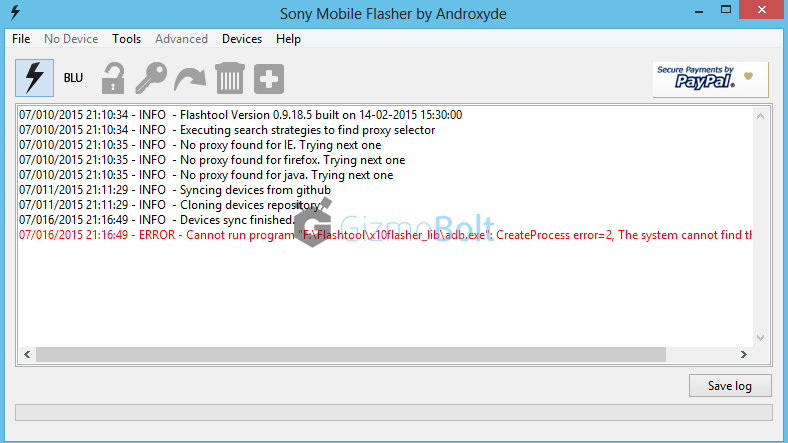
On opening it, it may ask you to move files stored in F:\Flashtool\firmwares toF:\Users\PC NAME\.flashTool\firmware (Do move the ftf stored if asked to do so).
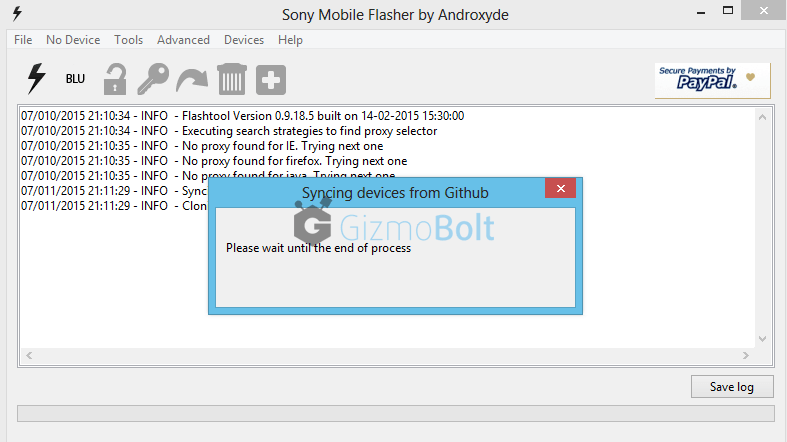
Wait then till it syncs the devices list (if it don’t syncs because you are not connected to internet, then leave it. It is not mandatory to do sync).
How to use Xperia Flashtool to update Lollipop
Step 2 – Download Firmware Ftf file
For D6502 INDIA region
Step 3 – Put your above download firmware ftf in “F:\Users\PC NAME\.flashTool\firmware” folder
Additional Step :- Install Drivers
Install Drivers from the folder named “Flashtool Drivers” in the location where Flashtool is installed OR just install PC Companion on your PC and connect your device with it and then remove it.
Step 4 – Open FlashTool
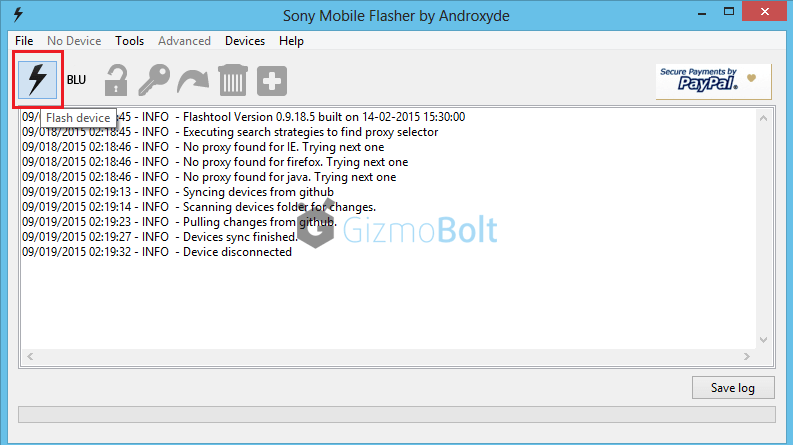
Now Open Flashtool. See the “Black Lightning Thunder icon” at the top left corner. Click on it.
How to flash Xperia Z2 Lollipop firmware
Step 5 – Choose Flashmode from Bootmode chooser
Now choose flashmode from given two options.
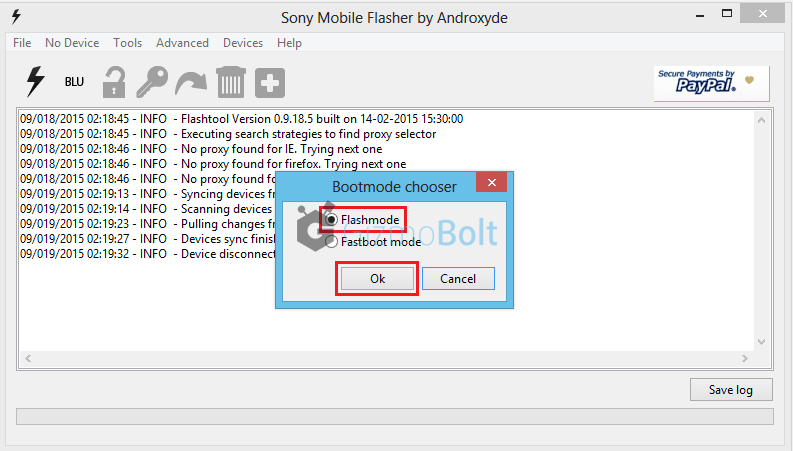
Xperia Z2 Lollipop firmware flashing manuallyStep 6 – You will now automatically see your download firmware ftf file in the “firmware” section (left hand side) of Flashtool window. Select your firmware.
Step 7 – Wipe data if you wish
See the right hand side of window under the “Wipe” tag, all three options are checked if, will delete all user data.
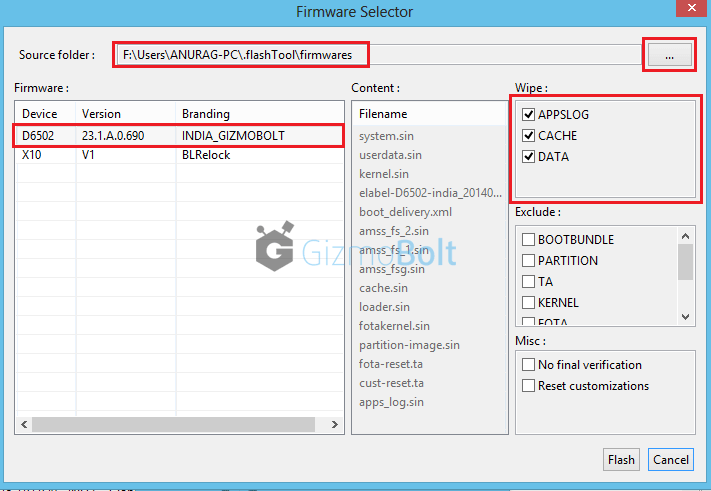
How to flash 23.1.A.0.690 firmware on Xperia Z2 using Flashtool
So if you don’t want to delete all user user data and don’t want a factory reset then you should uncheck them.
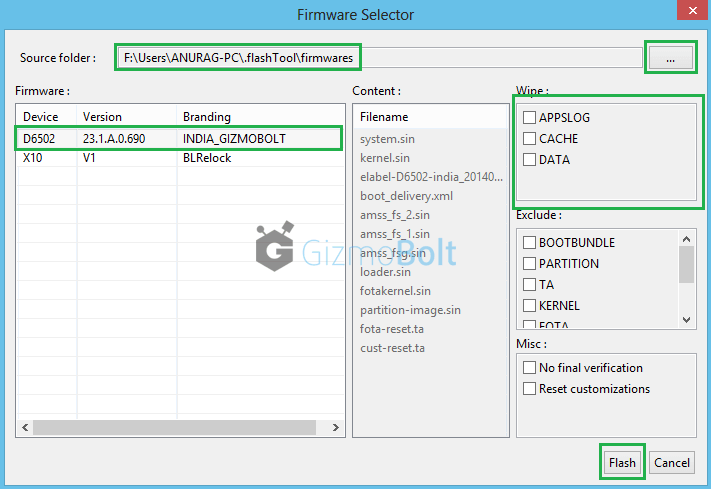
Flash Lollipop 23.1.A.0.690 ftf on Xperia Z2
Wiping full data is recommended, though (if you have backup).
Do it: Click on “Flash” button.
Step 8 – Preparing files for flashing
After clicking on “Flash” Button in above step, now FlashTool will prepare firmware ftf selected for flashing.
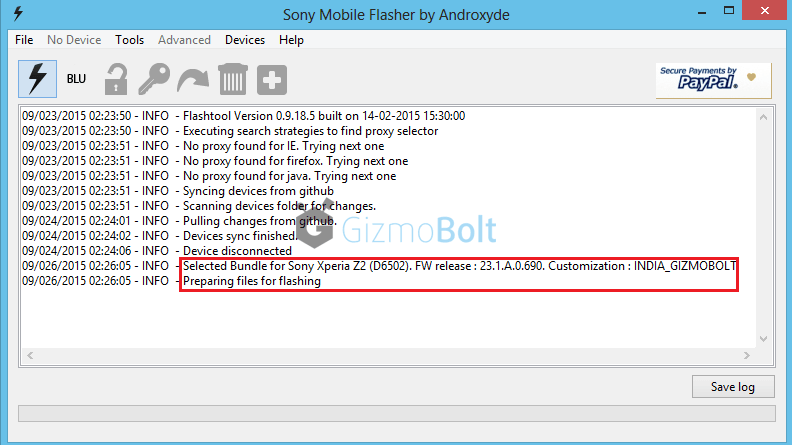
How to update Xperia Z2 on Android Lollipop
Step 9 – Connecting phone in FlashMode.
Important: Now enable USB Debugging on your phone and enable unknown sources option in your Xperia device and switch it off.
When prompted the notification of connecting your phone, connect it in flashmode (as chosen above)
How to do ? Press Volume down button and then insert usb in phone, you will see red and green light blink once, it means phone is connected in flashmode now.
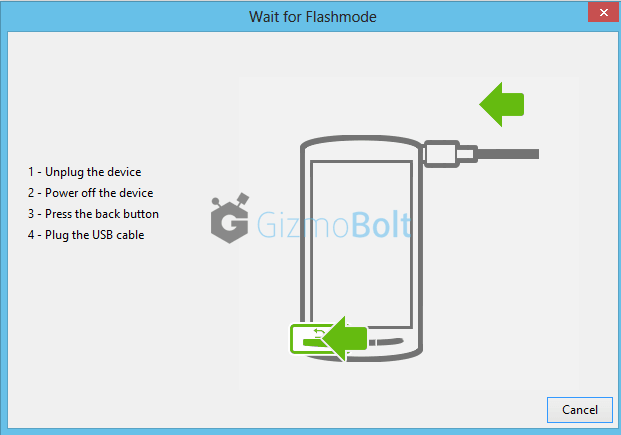
How to connect Xperia Z2 in flashmode
As soon as phone is detected by Flashtool, flashing beings and wait till it is finished.
WARNING: Do not cancel the process in between once flashing has started or it will result in boot loop or device not booting up at all.
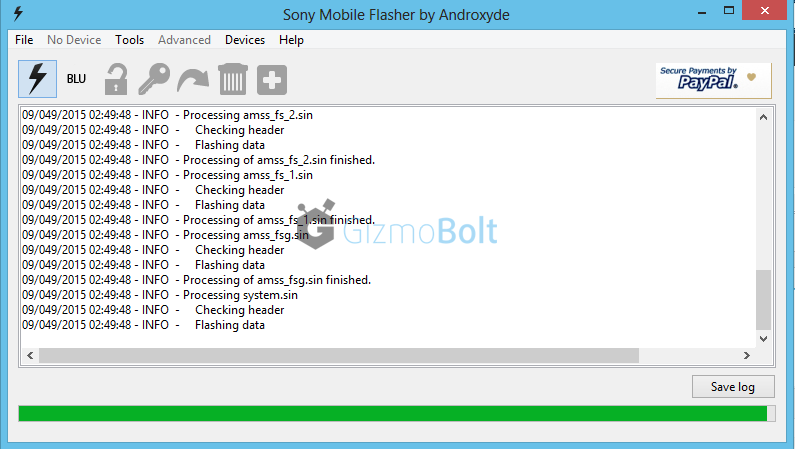
Update Xperia Z2 on 23.1.A.0.690 using Flashtool
Disconnect phone as soon as flashing is finished.
Step – 10 Disconnect phone
Now reboot your phone. First reboot after the update will take some time.
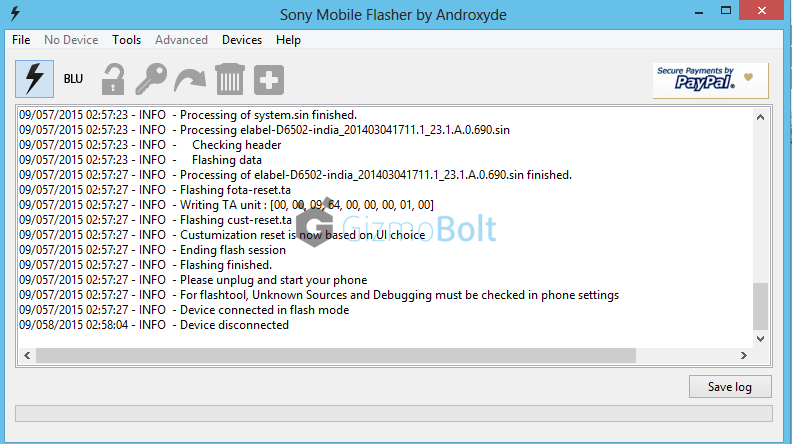
Flash 23.1.A.0.690 ftf on Xperia Z2
You must have Android 5.0.2 Lollipop 23.1.A.0.690 firmware installed on your Xperia Z2 now.
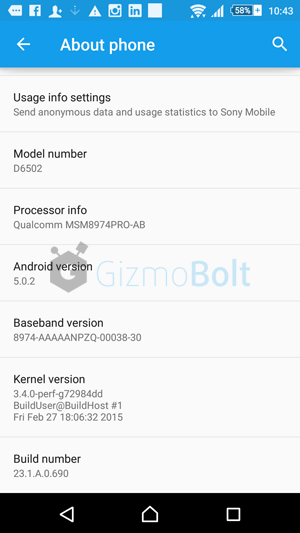
Xperia Z2 Lollipop update INDIA
Create ftf via FlashTool

DOWNLOAD FTF Firmware Files Xperia Z2

Sony Mobile has commenced the Android 6.0.1 Marshmallow rollout on the Xperia Z2 and Z3 series. The update is currently live for the Xperia Z2 (D6503 only), Xperia Z3 (D6603 ony) and Xperia Z3 Compact (D5803 only). The new firmware has build number 23.5.A.0.570, which incidentally is the same as the recent beta release.

Sony has only pulled the Marshmallow trigger on those variants that are part of the beta programme, perhaps in an effort to start getting the update to the public in a timely fashion. We would expect other variants to see the update shortly after. The new update includes the Camera 2.0.0 user interface and February Android security patch level – some screenshots can be seen here. Please let us know your impressions below, once you’ve had the chance to update. 

Thursday, September 15, 2016

Samsung Z1 SM-Z130H Firmware Flash Files

Free Download Latest Version Samsung Z1 SM-Z130H Firmware Flash Files

  • Device Name : Samsung Z1 SM-Z130H
  • Device Model : SM-Z130H
  • Date Update : 2015-01-04
  • Region Code : BNG
  • Region Country : Unknow
  • Firmware Version : Z130HDDU0AOA2
  • OS Name : Tizen
  • OS Version : 2.3.0.0
  • Change List : Unknow
- See more at: http://flashfilestore.blogspot.com/#sthash.IrsXT6d4.dpuf


  • Device Name : Samsung Z1 SM-Z130H
  • Device Model : SM-Z130H
  • Date Update : 2015-01-04
  • Region Code : BNG
  • Region Country : Unknow
  • Firmware Version : Z130HDDU0AOA2
  • OS Name : Tizen
  • OS Version : 2.3.0.0
  • Change List : Unknow
  • - See more at: http://flashfilestore.blogspot.com/#sthash.IrsXT6d4.dpuf


  • Device Name : Samsung Z1 SM-Z130H
  • Device Model : SM-Z130H
  • Date Update : 2015-01-04
  • Region Code : BNG
  • Region Country : Unknow
  • Firmware Version : Z130HDDU0AOA2
  • OS Name : Tizen
  • OS Version : 2.3.0.0
  • Change List : Unknow
  • - See more at: http://flashfilestore.blogspot.com/#sthash.IrsXT6d4.dpuf
    Firmware Version : Z130HDDU0AOA2
    Firmware Version : Z130HDDU0AOA2

    Samsung Z1 Firmware

    Samsung Z1 Firmware

    It hasn’t been too long since we’ve had the Tizen based Samsung Z1 Smartphone released in India, and already we have the third updated firmware for it. We now welcome version Z130HDDU0AOA2 and it is available to download immediately. Any of you hackers / develpers want to “Investigate” this firmware further?
    Model: SM-Z130H
    Model name:
    Country: India
    Version: Tizen 2.3.0.0
    Changelist: N/A
    Build date: N/A
    Product Code: INS
    PDA: Z130HDDU0AOA2
    CSC: Z130HBNG0AOA2
    MODEM: Z130HDDU0ANL8

    Sony XPERIA SP C5303 - Android 4.3 - firmware 12.1.A.1.207

    1. how to install the newest Android 4.3 for Sony XPERIA SP C5303
    a) first of all, check your firmware version (if you already have the newest one, you do not need this tutorial)
    b) download and install latest Flashtool from this article
    c) download also latest Android 4.3 (mirror Google Drive) for Sony XPERIA SP C5303
    d) paste the ftf file downloaded in step c) to folder „Firmware“ included in the XPERIA Flashtool
    e) open the XPERIA Flashtool, click on flash and choose downloaded firmware, than click ok. Important - if you do not want to delete any data of your phone, just uncheck flashing userdata.sin file. All data will remain in your phone, but sometimes it can cause additional troubles. So it is better (and I recommend that) to do the backup of your personal data, than proceed with clean instalation and then restore your personal data.
    f) turn off your phone and when Flashtool shows pop up window, connect phone to PC with holding volume down button 
    g) after few minutes all is done and your phone gets the new firmware
    2. how to install the newest Android 4.1.2 for Sony XPERIA SP C5303
    a) first of all, check your firmware version (if you already have the newest one, you do not need this tutorial)
    b) download and install latest Flashtool from this article
    c) download also latest Android 4.1.2 (mirror Google Drive) for Sony XPERIA SP C5303
    d) paste the ftf file downloaded in step c) to folder „Firmware“ included in the XPERIA Flashtool
    e) open the XPERIA Flashtool, click on flash and choose downloaded firmware, than click ok. Important - if you do not want to delete any data of your phone, just uncheck flashing userdata.sin file. All data will remain in your phone, but sometimes it can cause additional troubles. So it is better (and I recommend that) to do the backup of your personal data, than proceed with clean instalation and then restore your personal data.
    f) turn off your phone and when Flashtool shows pop up window, connect phone to PC with holding volume down button 
    g) after few minutes all is done and your phone gets the new firmware
     4. how to unlock your bootloader
    a) download and install latest Flashtool from this article
    b) start Flashtool and click on BLU button on the top
    c) turn off your device and when Flashtool shows pop up window, connect device to PC with holding volume down button
    d) Flashtool will check your device and than you need to connect your device once more, now with holding volume up button
    e) click on get unlock key button, it will switch you to Sony Mobile website, here select your phone and hit continue
    f) fill your email adress and accept terms and conditions, than click submit
    g) go to your mailbox and click on Click here to proceeed link in mail from Sony Mobile
    h) copy IMEI from Flashtool to Sony Mobile site and once more accept term and contidion, than click submit
    i) copy unlock key to Flashtool window and than click unlock
    j) your device is unlocked


    5. how to relock your bootloader
    a) download and install latest Flashtool from this article
    b) start Flashtool and click on BLU button on the top
    c) turn off your phone and when Flashtool shows pop up window, connect phone to PC with holding volume down button
    d) just click on relock button and your bootloader is locked for now

    SONY Xperia SP (Version 4.1.2) C5303 Flash File Free Download

    SONY Xperia SP (Version 4.1.2) C5303 Flash File Free Download

    Download Here

    Nokia X Flash Files RM-981 Download V12.2.2.2

    Nokia X Flash Files RM-981 Download V12.2.2.2

    Nokia X Flash Files RM-981 Download V12.2.2.2
    mcu,ppm,cnt,free ,free download,nokia,firmware,Firmware Updates 
    Firmware Updates 
    NOTE .DURING IN FLASHING OR RESETTING OF THE PHONE THIS IS VERY IMPORTANT TO  MOVE YOUR PHONES EVERY DATA TO A OTHER DEVICE IF YOU CAN NOT DO THIS SO YOU CAN LOSE YOUR EVERY DATA WHICH CAN PRESENT IN THE PHONE

    Now all the flash files of this model are in small file size, so you can  download  very easily within a few minutes. You can flash any Nokia mobile phone with UFS Micro(HWK) Box, ATF, JAF or Universal box. There are also many other flasher boxes available for flashing this Nokia Windows OS based model. You can also flash any Nokia handset with Nokia phoenix service software 
    Nokia All Flash files Download Google Drive LinkDownload